This topic shows how to register a new molecule using the graphical user interface. To register molecules in bulk via file import, see
Create Registry Sources.
Other ways to register molecules are to:
Create a Molecule
To add a new molecule to the registry:
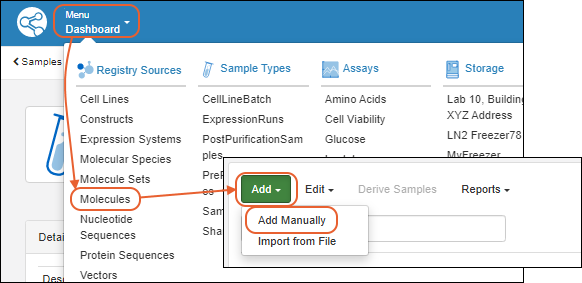
Add Details
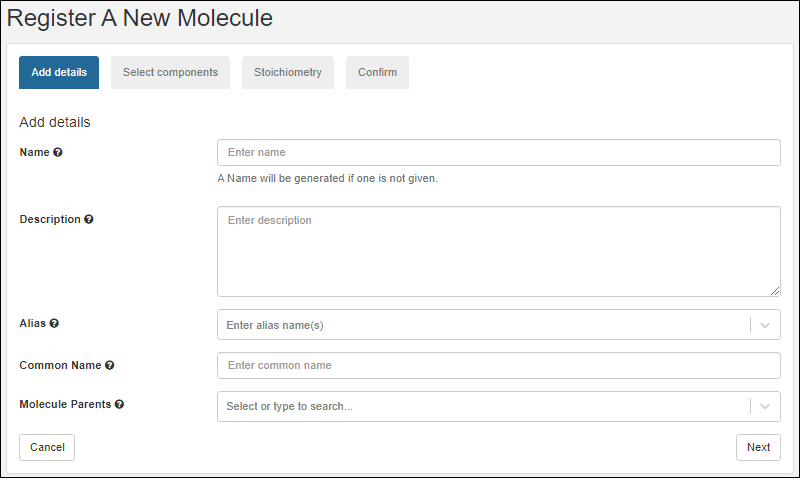
On the first tab of the wizard, enter the following:
- Name: Provide a name, or one will be generated for you. Hover to see the naming pattern
- Description: (Optional) A text description of the molecule.
- Alias: (Optional) Alternative names for the molecule.
- Common Name: (Optional) The common name of the molecule, if any.
- Molecule Parents: (Optional) Parent molecules for the new molecule.
Click
Next to continue.
Select Components
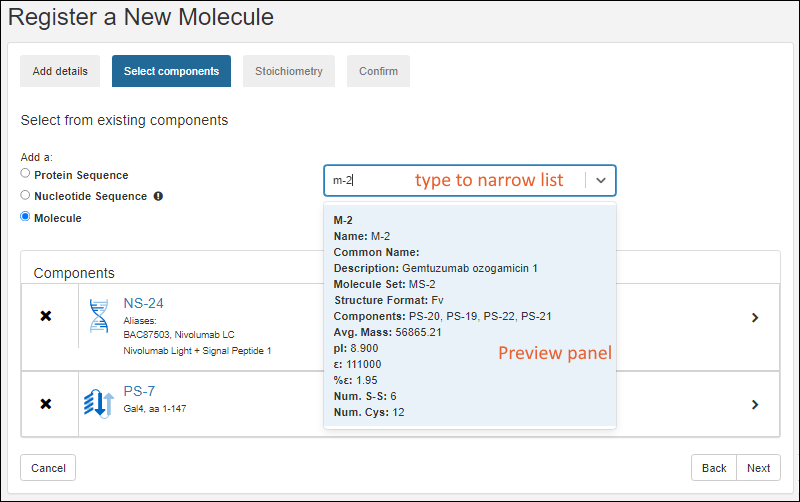
- On the Select components tab, search and select existing components of the new molecule.
- After selecting the appropriate radio button, search for the component of interest.
- Type ahead to narrow the list.
- You will see a details preview panel to assist you.
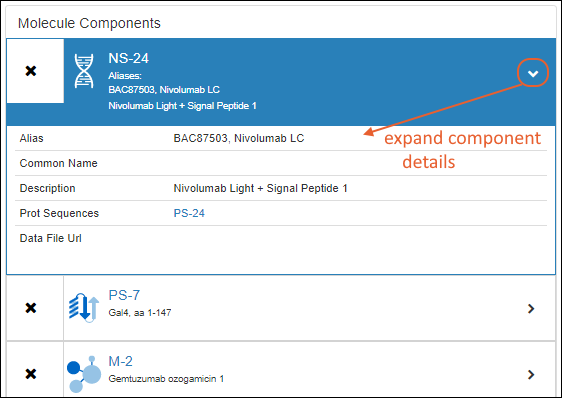
- Once you have added a component, it will be shown as a panel with entity icon. Click the to expand details.
Click
Next to continue.
Stoichiometry
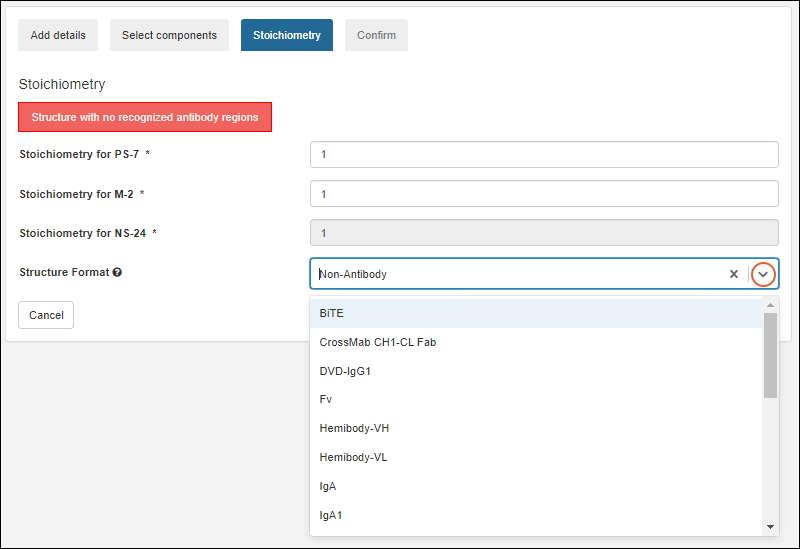
LabKey Biologics will attempt to classify the structure format of the molecule's protein components, if possible. The structure format is based on the component protein chain formats.
On the Stoichiometry pane enter:
- Stoichiometry from each component
- Structure Format: Select a format from the pulldown list. The list is populated from the StructureFormat table.
A warning will be displayed if no antibody regions are detected by the system.
Click
Next to continue.
Confirm
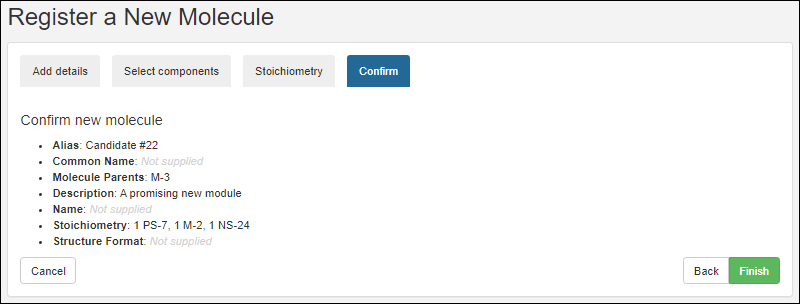
On the final tab, confirm the selections and click
Finish to add the molecule to the registry.
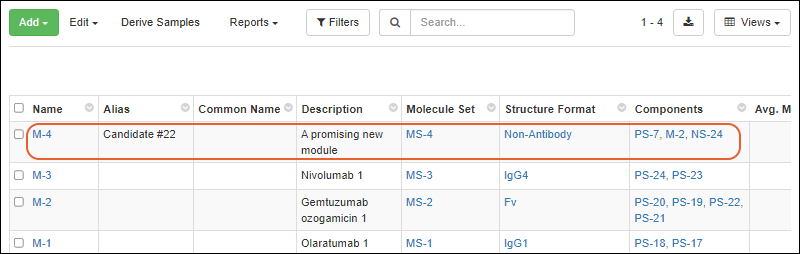
The new molecule will be added to the grid.
Related Topics

