Integration with
Spotfire lets you use data from LabKey to build visualizations in an external Spotfire Server. By using the Spotfire JavaScript API, you can extend this integration to embed visualizations from Spotfire in wiki documents on LabKey which are fully interactive.
Learn more about the Spotfire JavaScript API at this link:
Set Up
First, ensure that your Spotfire Server has the Web Player service installed and all relevant nodes are marked as trusted.
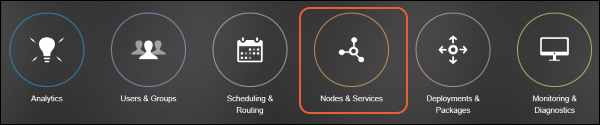
Go to the Spotfire Server administration home page and click on
Nodes & Services:
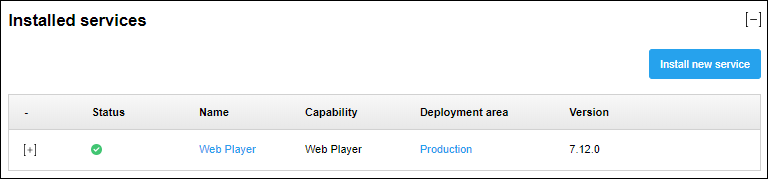
Ensure you have the correct version of the 'Web Player' service. It's version should match the version of Spotfire you have installed.
Create Visualization
Within Spotfire, create and save your visualization as a library item using Spotfire Analyst. For instructions about saving as library items, see
the Spotfire documentation.
You should now be able to browse to your analysis using the
Analytics section on the Spotfire Server. View the
properties of your analysis to get the path to it, which you will need in the next section for your script.
Embed Visualization
In the location on LabKey Server where you want to display and use this visualization,
create an HTML wiki page. Use the "Source" tab. The body will call the API similar to this example:
<script type="text/javascript" src="http://DESKTOP-SERVERNAME/spotfire/wp/GetJavaScriptApi.ashx?Version=7.12"></script>
<div id="spotfireElem" style="height: 800px"></div>
<script type="text/javascript">
var webPlayerServerRootUrl = "http://DESKTOP-SERVERNAME/spotfire/wp/",
customizationInfo = {
    showStatusBar : false,
    showToolBar : true,
    showPageNavigation : false
},
analysisPath = "/API/ELISpot Assay/ELISpot Link",
parameters,
reloadInstances = false;

var app = new spotfire.webPlayer.Application(webPlayerServerRootUrl, customizationInfo, analysisPath, parameters, reloadInstances);
var doc = app.openDocument("spotfireElem", 0)
Change the values for:
- The initial script source: the value for "src" on line 1.
- The webPlayerServerRootUrl variable: use your own server's name in place of DESKTOP-SERVERNAME.
- The analysis path.
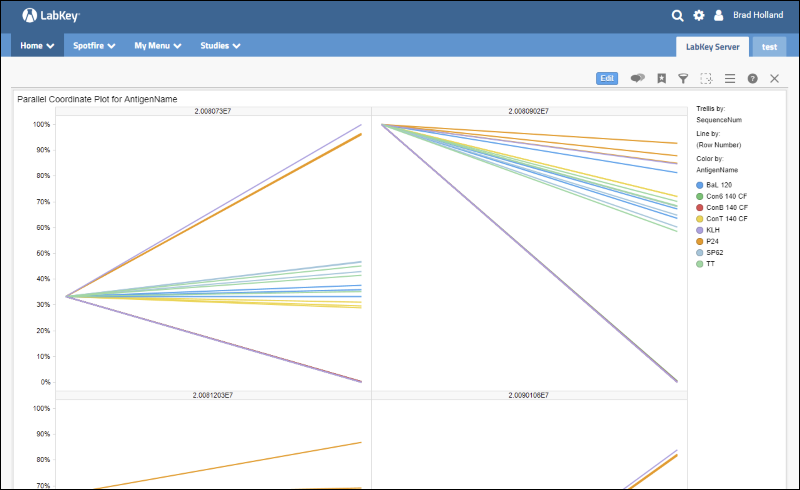
Save the wiki and when you view it, you will see your embedded visualization.
Related Topics

