Premium Feature — Calculation fields are available with the Professional and Enterprise Editions of LabKey Server.
Learn more or
contact LabKey.
A calculation field lets you include SQL expressions using values in other fields in the same row to provide calculated values. The
Expression provided must be
valid LabKey SQL and can use the default system fields, custom fields, constants, operators, and functions. To use field names containing special characters in a calculated field, surround the name with double quotes. String constants use single quotes. Examples:
| Operation | Example |
|---|
| Addition | numericField1 + numericField2 |
| Subtraction | numericField1 - numericField2 |
| Multiplication | numericField1 * numericField2 |
| Division by value known never to be zero | numericField1 / nonZeroField1 |
| Division by value that might be zero | CASE WHEN numericField2 <> 0 THEN (numericField1 / numericField2 * 100) ELSE NULL END |
| Subtraction of dates/datetimes (ex: difference in days) | TIMESTAMPDIFF('SQL_TSI_DAY', CURDATE(), MaterialExpDate) |
| Relative date (ex: 1 week later) | TIMESTAMPADD('SQL_TSI_WEEK', 1, dateField) |
| Conditional calculation based on another field | CASE WHEN FreezeThawCount < 2 THEN 'Viable' ELSE 'Questionable' END |
| Conditional calculation based on a text match | CASE WHEN ColorField = 'Blue' THEN 'Abnormal' ELSE 'Normal' END |
| Text value for every row (ex: to use with a URL property) | 'clickMe' |
| Text concatenation (use fields and/or strings) | City || ', ' || State |
| Addition when field name includes special characters | "Numeric Field Name" + "Field/Name & More" |
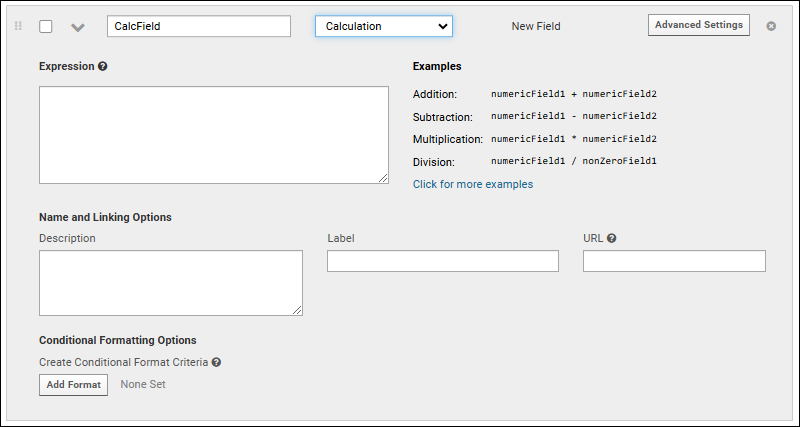
Once you've provided the expression, use
Click to validate to confirm that your expression is valid.
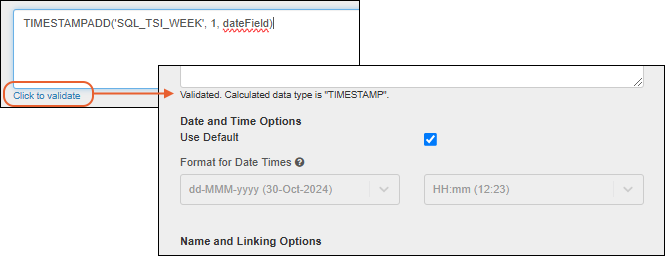
The data type of your expression will be calculated. In some cases, you may want to use casts to influence this type determination. For example, if you divide two integer values, the result will also be of type integer and yield unexpected and apparently "truncated" results.
Once the type of the calculation is determined, you'll see additional formatting options for the calculated type of the field. Shown above, date and time options.
Expression AI Assistant
If your LabKey deployment is
configured with an AI model, you can use the
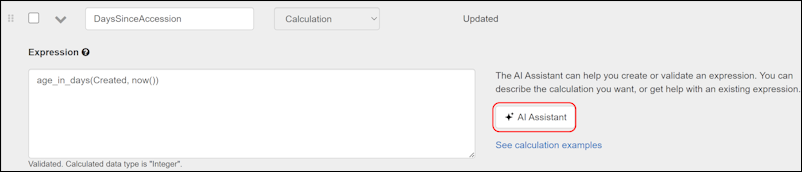
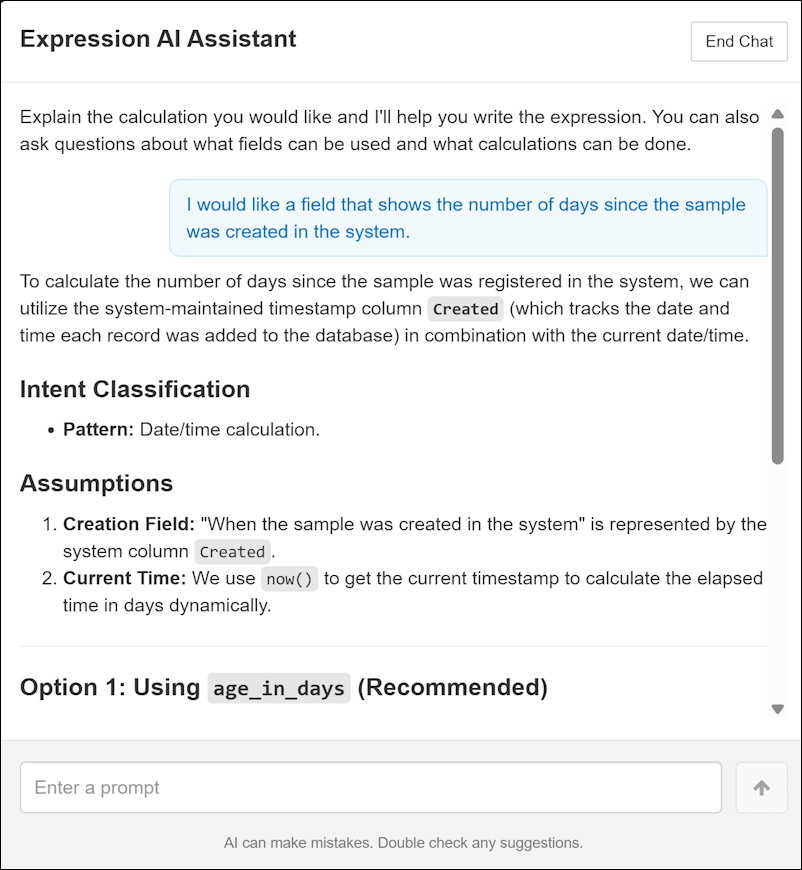
Expression Assistant to help write SQL for your calculation. Click
Get help from AI in the calculation panel to open the assistant. Describe what you want to calculate, and apply the generated SQL directly to your field.
Related Topics

